
Recipe
Private recipes
Switch a recipe to private and only you can see it. It stays off your profile and out of your followers' feeds.
Updated
Chefless lets you share recipes three ways. Keep a recipe private, share it on your profile for the cooks who follow you, or share it with a Kitchen of the people you cook with. You can also make your whole account private, so people need your approval to follow you.
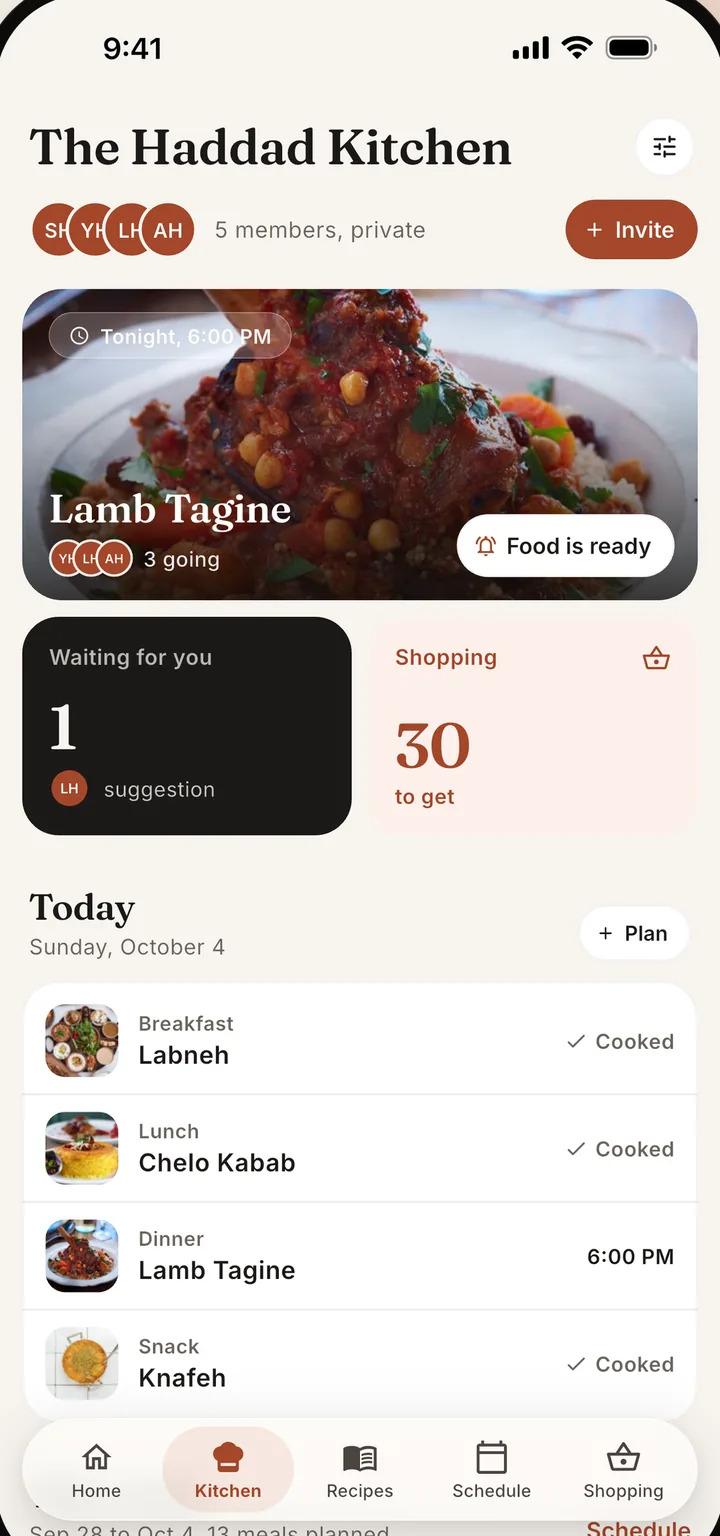
Share a recipe on your profile for the cooks who follow you, or keep it private.
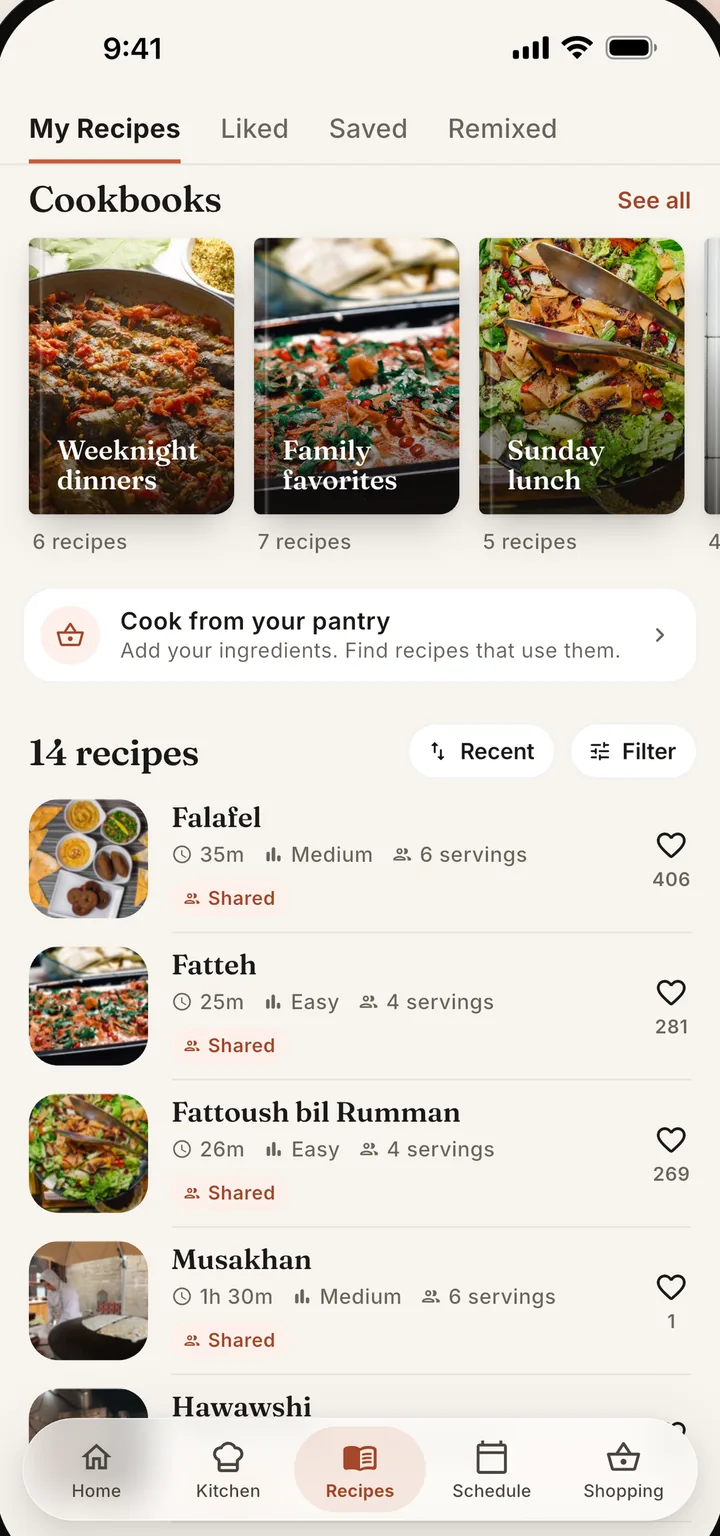
Invite family to a Kitchen and share recipes, the week's plan, and the shopping list.
See what the cooks you follow made, rated, and photographed.
Create a Kitchen, send the invite code, and your family sees the recipes you share, the week's meal plan, and the shopping list. A Kitchen is private by default, so only members see it, and the Head Chef can make it public. The Head Chef also decides who can edit the plan or approve meals.
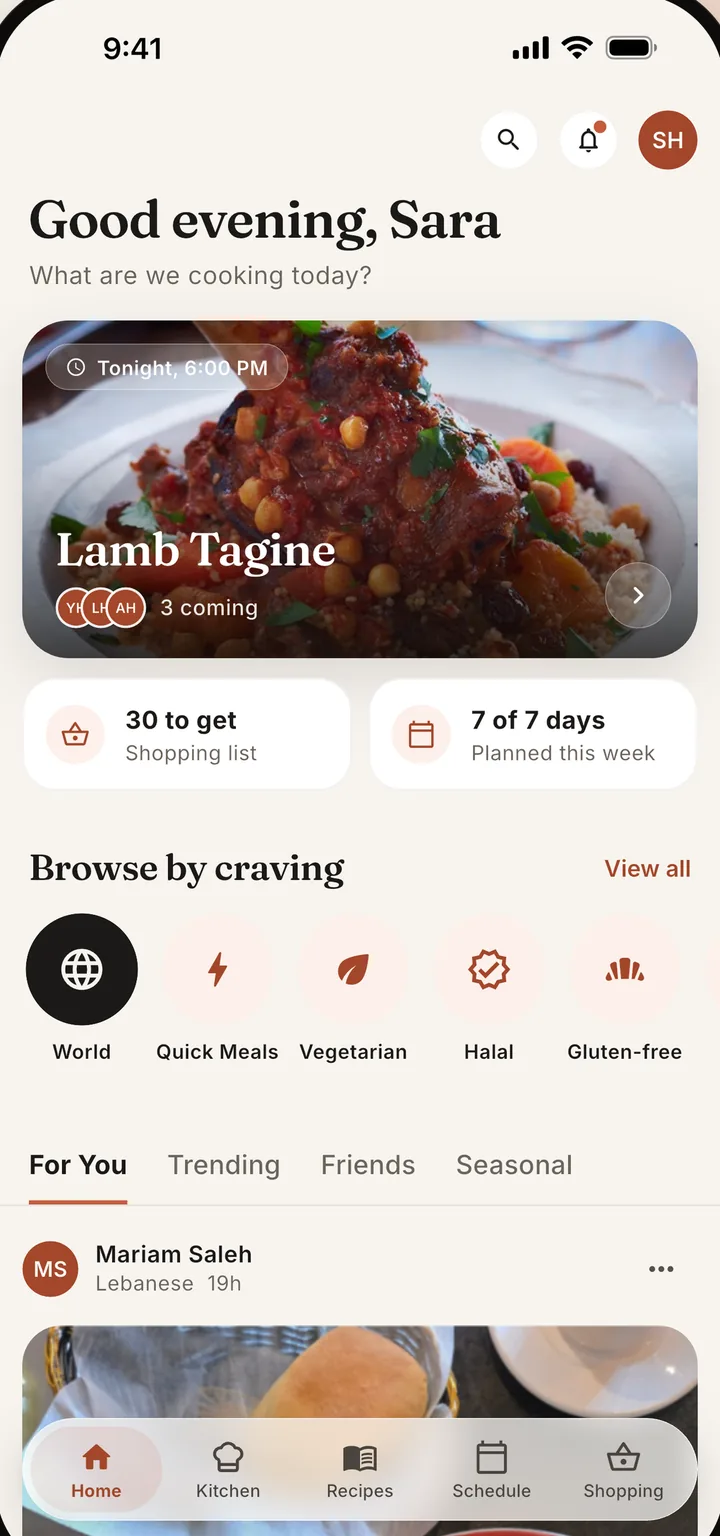
Yes. After cooking a recipe, a person can post a photo of their plate and rate the dish, and the cooks who follow them see it, along with comments and likes. That shows you how a dish turned out in other kitchens, as well as the author's photo.
A remix is your own version of someone else's recipe, with their name kept on it as the original. Chefless keeps the lineage, and with Chefless Premium you can open the whole remix tree, so the story of a dish survives every adaptation across kitchens and generations.
That is up to you. Each recipe is private, which keeps it visible only to you, or shared. A public account can be found and followed by anyone, while a private account needs your approval for every follower. Block and report tools keep unwanted people away.
Switch a recipe to private and only you can see it. It stays off your profile and out of your followers' feeds.
Turn on a private account and people need your approval to follow you. Anyone you have not approved cannot see your recipes.
Chefless has no ads and never sells your data. Block someone from their profile and you stop seeing each other's recipes and comments.
Yes. Chefless is a social recipe app: follow cooks, browse For You, Trending, Friends, and Seasonal, rate what you cook, and post a photo of your plate. You can also join a Kitchen to plan and shop with family. Everything social is optional, there are no ads, and you decide what you share.
Create a Kitchen, send the invite code, and share any recipe you want them to have. Everyone in the Kitchen sees the shared recipes, the week's meal plan, and the shopping list. The Head Chef decides who can edit the plan or approve suggested meals. A person can be in one Kitchen at a time.
Yes. Each recipe is private or shared. A private recipe is visible only to you, so grandma's secret dough can stay yours while the weeknight pasta goes to everyone. You can also make your whole account private, so people need your approval before they can follow you.
Chefless shows no ads and never sells your data. Recipes you mark private are visible only to you, and a private account needs your approval for every follower. You can block or report anyone from their profile, and blocked people can no longer see your recipes or send you invites.
Yes. Tap share on a recipe and send the link. If the recipe is shared, the link opens a page on chefless.org with its photo and details and a button to open it in the app or get Chefless. A private recipe shows a note that it is not available.
Download Chefless, invite the people you cook for, and share your first recipe today.
Free to download with no ads. Free accounts hold up to five recipes, a Kitchen of two people, and a five day plan, and Chefless Premium removes those limits.